The Pain Point (Why do I need this?)
You need to post on Instagram everyday to keep your brand alive. But you can't afford a professional photoshoot for every single social media post. Using stock photos feels generic, and taking photos on your phone on your desk looks amateur. Midjourney is too hard to control (the product always looks weird/distorted).
The Solution (What does it do?)
Pebblely is AI photography for non-photographers. It respects your product image perfectly. You upload a clean product photo, and Pebblely "places" it into a scene. Unlike Midjourney, it never hallucinates or changes your product's logo or shape. It only generates the background and the lighting + reflections on your product to match that background.
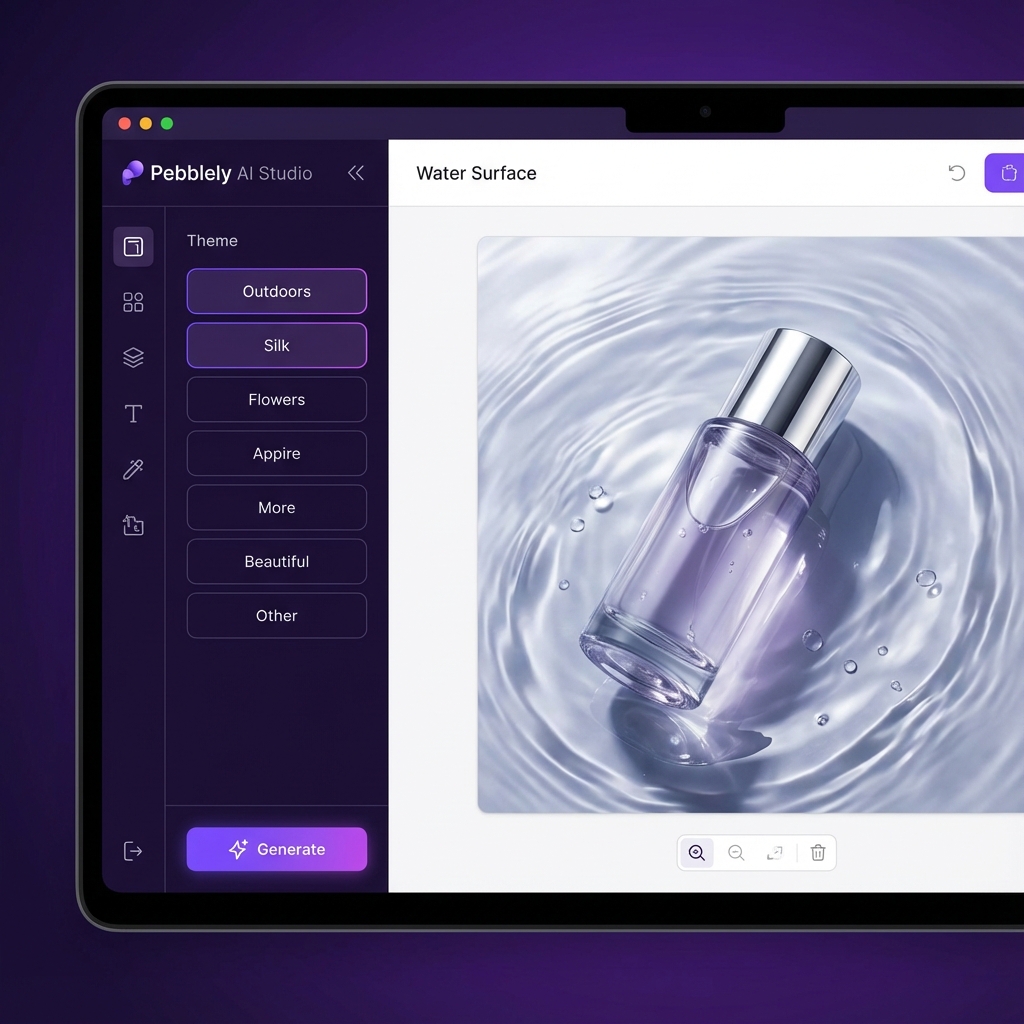
Key Features (For Sellers)
- Pre-Set Themes: “Kitchen Table”, “Silk Sheets”, “Nebula”, “Podium”. Just click and generate. No prompting needed.
- Lighting Integration: If you put a bottle on a reflective surface, Pebblely actually generates the reflection of your exact bottle.
- Resize for Social: Generate in 9:16 (Story) or 1:1 (Post) instantly.
- Custom Backgrounds: Upload a reference image (e.g., a specific brand color palette) and it will generate a scene that matches.
Our Verdict / Test Results
- Ease of Use: 10/10 (My grandmother could use this).
- Product Fidelity: 10/10 (It strictly preserves your original pixel data for the product itself).
- Resolution: 8/10 (Great for Instagram/TikTok, but maybe not for a billboard).
Bottom Line: For "Daily Content" on social media, Pebblely is the king of speed. It fills the gap between "iPhone photo" and "Studio Shoot".